
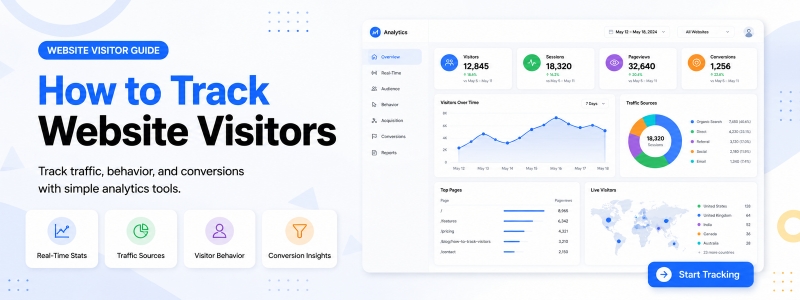
How to Track Website Visitors in WordPress
If you want to understand how people interact with your website, you need to know how to track website visitors in a simple and organized way. Website visitor tracking helps you see who visits your site, which pages they open, where traffic comes from, which browsers they use, and whether your traffic is coming from real users or bots.
For WordPress users, visitor tracking can be done directly from the WordPress admin dashboard using a lightweight tracking plugin. Instead of depending only on complex analytics platforms, you can use a WordPress visitor tracking tool to review recent visitor activity, page views, referrers, landing pages, browser information, and visitor classification from one place.
What Does Website Visitor Tracking Mean?
Website visitor tracking means recording and reviewing visitor activity on your website. It helps you understand how users interact with your pages, posts, products, and content. A good web visitor tracking system can show important information such as visited pages, landing pages, referrers, browsers, visit times, traffic sources, and visitor types.
For example, if someone visits your website from Google, a social media post, another website, or a direct link, visitor tracking can help you understand that traffic behavior. This information is useful for bloggers, business websites, WooCommerce stores, agencies, and website owners who want to improve their content and user experience.
Why Should You Track Website Visitors?
Knowing how to track website visitors is important because website traffic data helps you make better decisions. Without visitor tracking, you may not know which pages are working, where visitors are coming from, or whether your website is getting real human traffic or automated bot visits.
Website visitor tracking can help you:
- Understand which pages visitors open most often
- Review landing pages and current pages
- Check where traffic may be coming from
- Analyze visitor behavior inside WordPress
- Identify human visitors, suspected bots, and verified bots
- Monitor basic website activity without complex setup
- Improve content, SEO planning, and website performance review
How to Track Website Visitors in WordPress
The easiest way to track visitors in WordPress is to use a visitor tracking plugin. A WordPress visitor tracking plugin can record visitor activity and display useful reports inside the WordPress dashboard.
One simple option is Codersly Visitor Tracker free web visitor tracking plugin. It is designed for WordPress website owners who want basic visitor logs, referrer tracking, landing page tracking, browser information, visit times, and human/bot visitor classification inside wp-admin.
You can also install the plugin from the official Codersly Visitor Tracker WordPress Directory page. This makes it easy to install the free version directly from WordPress.org or from your WordPress admin plugin installer.
Step-by-Step: How to Track Website Visitors
1. Install a Visitor Tracking Plugin
First, install a visitor tracking plugin on your WordPress website. If you want a lightweight and privacy-aware option, you can start with Codersly Visitor Tracker from the WordPress Directory or the free version page.
2. Activate the Plugin
After installation, activate the plugin from your WordPress dashboard. Once activated, the plugin can start recording visitor activity based on its available tracking features and settings.
3. Open the Visitor Dashboard
Go to the plugin dashboard inside WordPress admin. From there, you can review visitor counters, recent activity, visitor records, and traffic information.
4. Review Visitor Logs
Visitor logs help you understand recent website activity. You can check useful data such as current page, landing page, browser, referrer, visit time, and visitor type.
5. Check Referrers and Landing Pages
Referrer and landing page tracking can help you understand where visitors may be coming from and which pages they first open on your website. This is useful for SEO, content planning, campaign review, and website improvement.
6. Analyze Human and Bot Traffic
Not all traffic comes from real users. Some visits may come from bots, crawlers, scanners, or automated tools. A visitor tracking plugin with human/bot classification can help you understand your traffic more clearly.
Important Visitor Data You Should Track
When learning how to track website visitors, focus on data that helps you understand real website activity. You do not need a complicated system for basic tracking. Start with the most useful visitor information.
- Page views: Which pages visitors open
- Landing pages: The first page visitors open
- Current pages: The page viewed during a visit
- Referrers: Where the visitor may have come from
- Browser information: Which browser visitors use
- Visit time: When the visit happened
- Visitor type: Human, suspected bot, verified bot, or unknown
- Traffic behavior: Basic pattern of website visits
Free vs Pro Website Visitor Tracking
A free visitor tracking plugin is a good starting point for basic web visitor tracking. It can help you review visitor records, page activity, referrers, browser information, and visitor types from WordPress admin.
However, some website owners need more advanced visitor analytics, premium workflows, export options, campaign-related insights, or a more professional tracking experience. In that case, you can upgrade to Codersly Visitor Tracker Pro.
The Pro version works as a premium add-on for users who need advanced visitor analytics and a stronger visitor tracking workflow inside WordPress.
Who Needs Web Visitor Tracking?
Web visitor tracking is useful for many types of website owners. If you manage a WordPress website and want to understand visitor activity, a visitor tracking plugin can help you save time and make better decisions.
- Bloggers: Track which posts receive attention
- Business websites: Monitor page activity and traffic sources
- WooCommerce stores: Review visitor behavior on store pages
- Agencies: Track basic visitor activity for client websites
- Content publishers: Understand top pages and visitor patterns
- Website administrators: Check visitor logs without complex setup
Privacy-Aware Visitor Tracking
When tracking website visitors, privacy is important. Website owners should understand what type of visitor data is being stored and how it is being used. A privacy-aware visitor tracking plugin should keep the workflow clear and give site owners control over tracking settings.
Codersly Visitor Tracker stores visitor records locally in the WordPress database and does not send visitor analytics data to Codersly. If optional location lookup is enabled, website owners should review their privacy policy and follow applicable privacy rules.
Best Way to Start Tracking Website Visitors
The best way to start is simple: install a lightweight WordPress visitor tracking plugin, activate it, review your visitor dashboard, and check visitor logs regularly. You do not need to start with a complicated analytics setup if your goal is basic visitor activity review inside WordPress.
For a free starting point, you can install Codersly Visitor Tracker. For users who prefer installation from WordPress.org, the plugin is also available in the official WordPress Directory. For advanced visitor analytics and premium workflows, you can choose Codersly Visitor Tracker Pro.
Frequently Asked Questions
How to track website visitors in WordPress?
You can track website visitors in WordPress by installing a visitor tracking plugin. A plugin can record visitor activity such as page views, landing pages, referrers, browser information, visit times, and visitor types inside the WordPress admin dashboard.
Can I track website visitors without Google Analytics?
Yes. You can use a WordPress visitor tracking plugin to record basic visitor activity directly inside WordPress. This can help you review visitor logs and traffic behavior without depending only on external analytics platforms.
What is the easiest way to track visitors on a WordPress website?
The easiest way is to install a lightweight web visitor tracking plugin, activate it, and review visitor records from the WordPress dashboard.
Can visitor tracking show bots?
Yes. Some visitor tracking plugins can classify visits as human, suspected bot, verified bot, or unknown. This helps website owners understand traffic quality more clearly.
Is Codersly Visitor Tracker free?
Yes. Codersly Visitor Tracker has a free version available from Codersly and the official WordPress Directory. A separate Pro version is also available for users who need advanced visitor analytics and premium workflows.
Conclusion
Learning how to track website visitors is important for every WordPress website owner. Visitor tracking helps you understand page activity, referrers, landing pages, browsers, visit times, and visitor types. With the right plugin, you can monitor basic traffic behavior directly from the WordPress dashboard.
If you want a simple starting point, use the free Codersly Visitor Tracker plugin. If you need advanced visitor analytics and premium visitor tracking workflows, you can upgrade to Codersly Visitor Tracker Pro.