
What Is an Extra Spaces Remover?
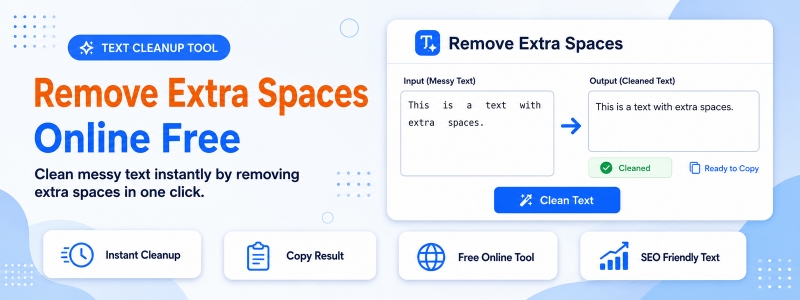
An extra spaces remover is a free online text tool that cleans up unwanted whitespace in text content. Codersly’s Remove Extra Spaces tool strips out double spaces, multiple consecutive spaces, leading and trailing spaces, and extra tab characters from any text — leaving clean, properly spaced content ready for publishing, data entry, or further processing.
When Do You Need to Remove Extra Spaces?
- Pasted content from PDFs — text copied from PDFs often contains extra spaces and whitespace artifacts.
- Data cleaning for databases — remove leading/trailing spaces from data before inserting into databases to prevent matching and sorting errors.
- Content editing — clean up articles or documents that have inconsistent spacing from multiple contributors.
- Code cleanup — normalize spacing in text-based configuration files or data files.
- CSV and data import preparation — clean whitespace from values before importing data into spreadsheets or databases.
How to Remove Extra Spaces with Codersly
- Open the tool: Visit the Codersly Remove Extra Spaces tool.
- Paste your text: Enter the text containing extra or unwanted spaces.
- Clean: Click the button and all extra spaces and tabs are removed.
- Copy the result: The clean, properly spaced text is ready to use.
What Types of Whitespace Are Removed?
The tool removes extra whitespace including multiple consecutive spaces between words, leading spaces at the beginning of lines, trailing spaces at the end of lines, and extra tab characters. Single spaces between words are preserved to maintain readability.
Frequently Asked Questions (FAQ)
Is the extra spaces remover free?
Yes. Completely free with no registration required.
Does it remove all spaces or just extra ones?
The tool removes only extra whitespace — multiple consecutive spaces, tabs, and leading/trailing spaces. Single spaces between words are preserved.
Does it handle tabs as well?
Yes. The tool removes extra tab characters in addition to extra spaces.
Related Text Tools
Also try: Remove Duplicate Lines, Text Case Converter, and Word Counter.
Clean Your Text Now
Remove all unwanted spaces and whitespace from your text with the free Remove Extra Spaces tool on Codersly. No account needed.