
What Is a Text to Slug Converter?
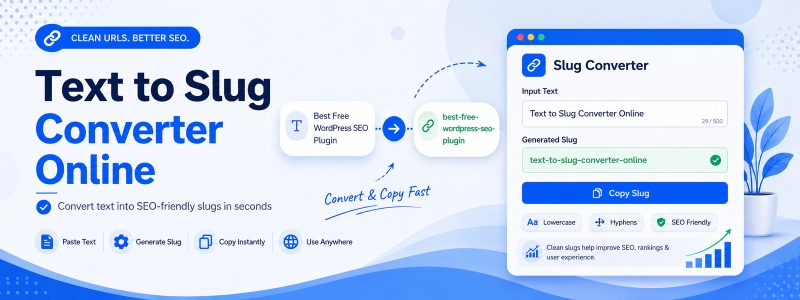
A text to slug converter is a free online tool that transforms any text string into a URL-friendly slug. A slug is a simplified version of a text string where spaces are replaced by hyphens, special characters are removed, and all letters are converted to lowercase — making the result safe and readable as part of a URL or file path.
Codersly’s Text to Slug tool instantly converts any title, headline, or phrase into a clean, properly formatted URL slug.
What Is a URL Slug?
A URL slug is the part of a URL that identifies a specific page in a human-readable way. For example, the slug of this blog post might look like /text-to-slug-converter-online. Slugs are used in blog URLs, product pages, article titles, and content management systems like WordPress, Shopify, and Django to create SEO-friendly, readable web addresses.
Why Use a Slug Generator?
- SEO optimization — clean, keyword-rich URL slugs improve search engine ranking and click-through rates.
- CMS content management — generate proper slugs for WordPress posts, Shopify products, or custom CMS entries.
- Database keys — use slugs as unique, readable identifiers in databases and APIs.
- File naming — create safe, consistent file names from document titles.
How to Use the Text to Slug Converter
- Open the tool: Visit the Codersly Text to Slug converter.
- Enter your text: Type or paste a title, phrase, or any text.
- Get the slug: The URL-friendly slug is generated instantly.
- Copy: Use the slug in your URL, CMS, or database.
How Is the Slug Generated?
The converter applies these transformations: converts all characters to lowercase, replaces spaces with hyphens (-), removes special characters (punctuation, symbols), replaces multiple consecutive hyphens with a single hyphen, and trims leading/trailing hyphens. The result is a clean, standardized URL slug.
Frequently Asked Questions (FAQ)
Is the text to slug converter free?
Yes. Completely free with no sign-up required.
Does it handle non-English characters?
Special and accented characters are removed or transliterated to produce a clean ASCII slug suitable for all URLs.
Can I use the slug for WordPress permalinks?
Yes. The generated slug is compatible with WordPress permalink structures and other CMS URL formats.
Related Tools
Also try: Text Case Converter, URL Encode Decode, and Remove Extra Spaces.
Generate Your URL Slug Now
Convert any text into a clean, SEO-friendly URL slug with the free Text to Slug converter on Codersly. No account needed.
