
One of the most common questions WordPress users ask when setting up their website is: should I use a free or pro SEO plugin? The answer depends on your website’s goals, current traffic levels, budget, and SEO needs. This guide breaks down the key differences between free and pro SEO plugins to help you make the right decision for your specific situation.
What Free SEO Plugins Offer
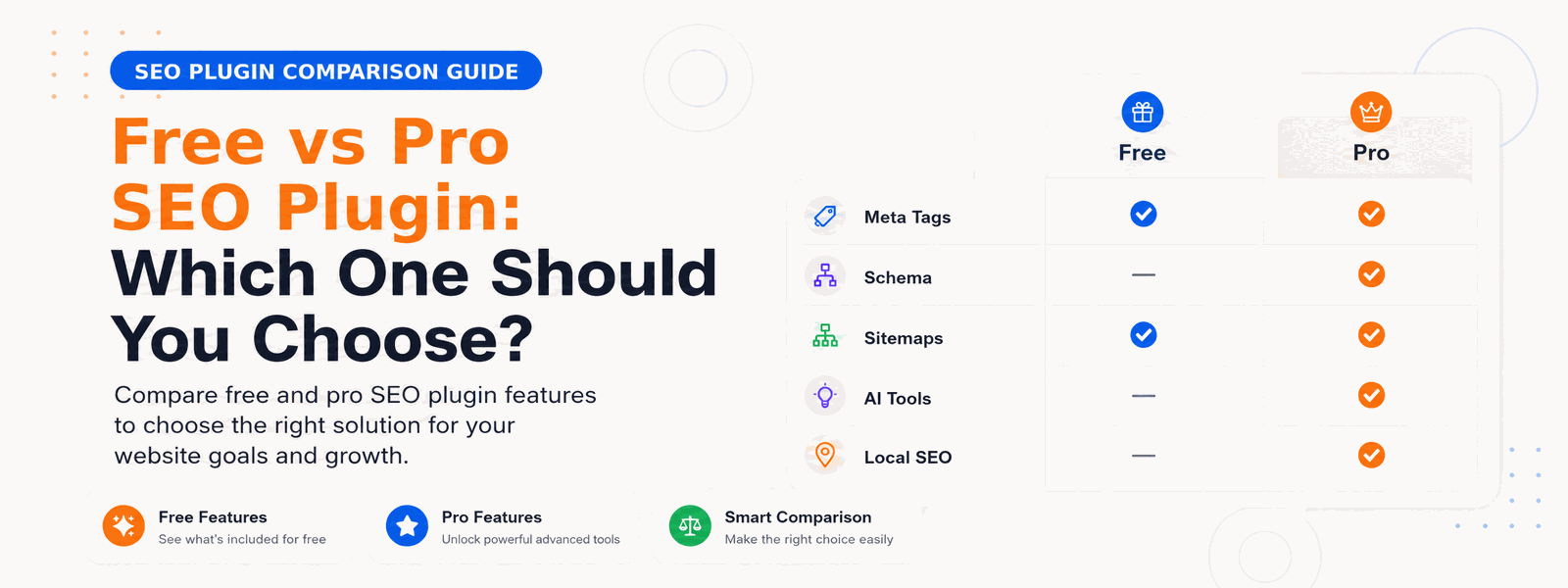
Free SEO plugins cover the essential fundamentals that every WordPress website needs. A quality free SEO plugin like Codersly SEO handles meta title and description management so search engines understand your pages. It generates XML sitemaps to help search engines discover and index your content. It provides focus keyword analysis to guide your on-page optimization. It includes a robots.txt editor to control crawler access. And it adds Open Graph and Twitter Card tags for better social media sharing. For small blogs, personal websites, and businesses just getting started with SEO, a free plugin often provides everything needed to build a solid foundation.
Where Free Plugins Fall Short
As your website grows and your SEO goals become more ambitious, free SEO plugins start to show their limitations. The most common constraints involve advanced features that business websites need to compete effectively. Free plugins typically lack AI-powered content analysis that can evaluate your content against search intent and competitor benchmarks. Local SEO schema for businesses targeting geographic markets is usually a pro feature. Advanced redirect management for handling large redirect libraries is missing. WooCommerce SEO optimization for product pages requires pro capabilities. In-depth keyword performance tracking often isn’t available in free versions. And when you encounter issues, priority customer support isn’t available with free plugins.
What Pro SEO Plugins Offer
Upgrading to a pro SEO plugin unlocks advanced features that can make a significant measurable difference for business websites and e-commerce stores. These pro capabilities go beyond basic optimization and provide the tools needed to compete in competitive niches:
- AI-powered content optimization that analyzes your content against search intent and competitors
- Advanced schema markup for articles, products, local businesses, events, and more
- Local SEO features including Google My Business integration and location-specific optimization
- WooCommerce SEO for automatic optimization of product and category pages
- Advanced redirect management with bulk import and redirect monitoring
- In-depth keyword tracking and performance analytics
- Priority customer support with faster response times
- Regular updates with new features and compatibility improvements
The ROI Calculation: When Pro SEO is Worth It
The financial case for a pro SEO plugin is straightforward for business websites. If your website generates revenue — whether through e-commerce sales, lead generation, or advertising — improved search rankings directly impact your bottom line. A pro SEO plugin that costs $50–$100 per year can easily generate hundreds or thousands of dollars in additional organic traffic value. For business websites, the ROI of a well-implemented pro SEO plugin is typically achieved within the first month or two of use.
When to Stay with the Free Version
Not every website needs a pro SEO plugin. If you’re running a personal blog primarily for hobby purposes without commercial goals, the free version provides everything you need. New websites that are still establishing their content and audience will benefit most from mastering free SEO fundamentals before investing in advanced features. If your website is in a niche with low competition and your current free plugin is helping you rank well, there may be no compelling reason to upgrade.
Codersly SEO Free vs Pro
Codersly SEO Free is the perfect starting point for any WordPress website. It provides all the essential SEO functionality needed to optimize your content and help search engines understand your site. When your business grows and you need advanced features — AI content analysis, local SEO, WooCommerce optimization, or advanced schema — Codersly SEO Pro provides everything you need to take your SEO performance to the next level at an affordable, one-time or annual price.
Which Should You Choose?
The practical recommendation: start with the free version and master the fundamentals. Once you’re consistently publishing optimized content and want to push your rankings further, upgrade to Codersly SEO Pro for maximum impact. If you run a business website, e-commerce store, or operate in a competitive niche where advanced SEO features will give you an edge, starting with the pro version from day one makes sense.
Conclusion
The choice between a free vs pro SEO plugin comes down to your website’s goals and commercial ambitions. For serious businesses, the ROI of a pro plugin far outweighs the cost. Explore Codersly SEO Pro pricing and find the plan that fits your budget and your growth goals.