
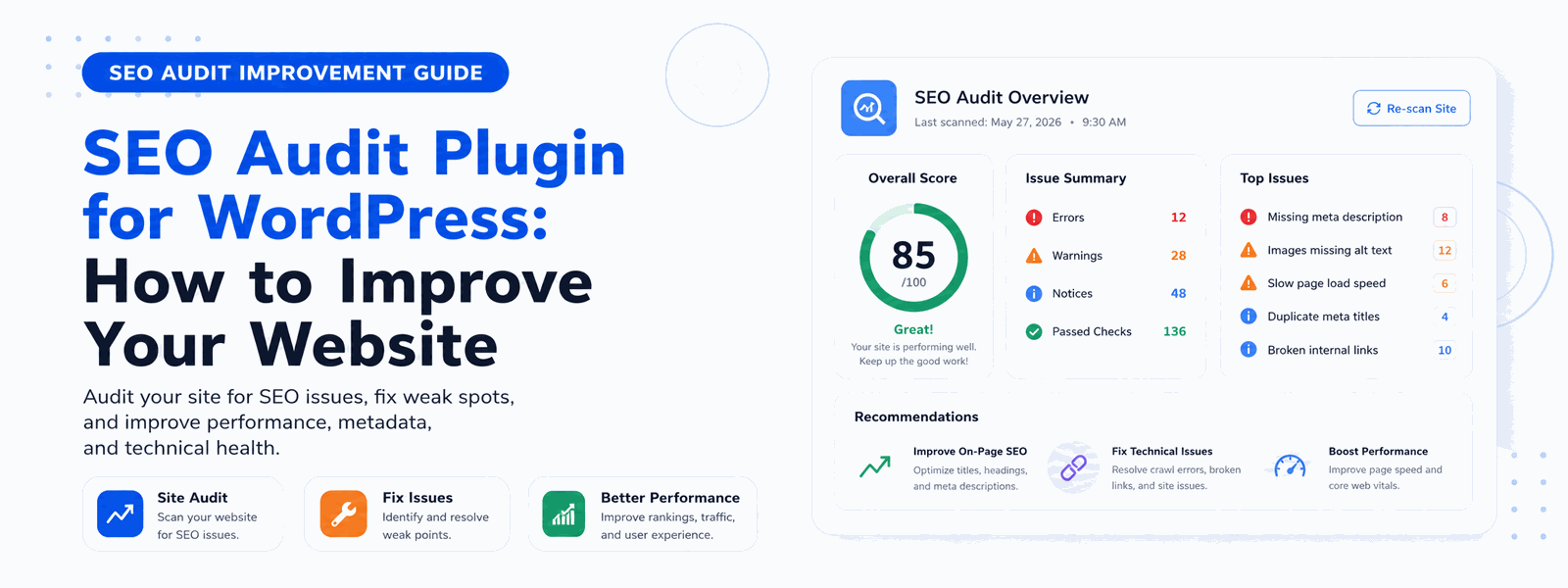
A regular SEO audit with a WordPress plugin helps you identify and fix issues that are silently hurting your search rankings. From broken links and missing meta tags to duplicate content and slow page speed — an SEO audit reveals exactly what needs fixing and prioritizes the changes that will have the greatest positive impact on your visibility in search results.
What Is an SEO Audit?
An SEO audit is a comprehensive analysis of your website’s ability to rank in search engines. It evaluates technical SEO factors like crawlability, site speed, and structured data implementation. It reviews on-page optimization across all your published content. It assesses content quality signals including keyword usage, content depth, and internal linking structure. And it identifies user experience issues that can indirectly affect search rankings through engagement metrics. Together, these checks produce a prioritized action list for improving your website’s search performance.
Why Regular SEO Audits Are Essential
Google updates its ranking algorithm hundreds of times per year — including several major updates that can significantly shift rankings. Issues that weren’t problematic six months ago might be penalizing your site today. New technical errors often accumulate over time as you add content, install plugins, and update your WordPress installation. Regular SEO audits ensure your website stays compliant with the latest best practices and catches issues before they cause significant ranking drops.
What a Good SEO Audit Plugin Checks
A comprehensive SEO audit plugin should examine all the key factors that influence search rankings. These are the most critical elements every audit should cover:
- Missing or duplicate meta titles and descriptions that confuse search engines about page purpose
- Broken internal and external links that create dead ends for users and crawlers
- Missing alt text on images that hurts both accessibility and image search optimization
- Duplicate content issues including thin pages and content that appears on multiple URLs
- Canonical tag implementation to prevent duplicate content penalties
- Page speed and Core Web Vitals scores that directly impact both rankings and user experience
- Mobile responsiveness issues that affect how your site performs in mobile search
- Structured data errors in schema markup that prevent rich results from appearing
- Crawlability issues in robots.txt and meta robots tags that might be blocking important pages
- Heading hierarchy problems that affect how search engines understand your content structure
Prioritizing SEO Audit Findings
A typical SEO audit of an established website might reveal dozens or even hundreds of issues. The key to efficient audit response is prioritization. Not all issues are equal in their impact on search rankings. Technical issues that prevent pages from being indexed are critical and should be fixed immediately. Widespread on-page issues across many pages are high priority. Individual page optimizations have lower urgency but still contribute to overall performance. A good SEO audit plugin categorizes findings by severity so you know where to focus your improvement efforts first.
How Often Should You Run an SEO Audit?
The frequency of SEO audits should match your website’s size and activity level. For actively updated websites that publish new content regularly, a monthly audit helps catch issues quickly. For smaller websites with less frequent updates, quarterly audits may be sufficient. Additionally, it’s worth running an audit after any major change to your website — such as a theme update, migration to a new domain, or significant content restructuring. These changes can introduce new SEO issues that need immediate attention.
Technical SEO vs. Content Auditing
An effective SEO audit covers both technical and content dimensions. Technical SEO audits focus on infrastructure: how well search engines can access, crawl, and index your pages. Content audits evaluate the quality and optimization of your actual published content. Both are necessary for comprehensive SEO health. Many websites excel in one area while neglecting the other — fast and technically clean but with thin content, or rich content suffering from technical issues that prevent it from ranking. A complete SEO audit addresses both dimensions.
Codersly SEO Pro: Built-in SEO Audit for WordPress
The Codersly SEO Pro Plugin includes a built-in SEO audit tool that scans your entire WordPress website and generates a detailed report with prioritized recommendations. Issues are categorized by severity and type, making it easy to know exactly what to fix first. You can resolve many issues directly from the dashboard without needing external tools or technical expertise. The audit runs automatically and keeps your team informed about the SEO health of your site over time.
Conclusion
Don’t wait for your rankings to drop before running an SEO audit. Use Codersly SEO Pro to proactively identify and fix SEO issues and keep your WordPress website performing at its best. Regular audits are the difference between reactive SEO — fixing problems after they’ve hurt your traffic — and proactive SEO that maintains and improves your rankings consistently.