
Choosing the right visitor tracking plugin for WordPress depends on how much insight you want from your website data. Some site owners only need a simple way to see basic traffic activity. Others need deeper reports, more control, and better tools for tracking performance over time.
If you are deciding between a free vs PRO visitor tracking plugin, the best choice usually comes down to your website goals, your experience level, and how much detail you want in your reports. In this guide, we will compare both options in a clear and beginner-friendly way so you can choose the right solution for your site.
Why Visitor Tracking Matters
Visitor tracking helps you understand how people interact with your WordPress website. It can show useful data such as total visitors, traffic trends, device types, and general browsing behavior.
That information can help you make better decisions about content, marketing, product pages, and user experience. Whether you run a blog, a business site, or a WooCommerce store, visitor data can reveal what is working and what needs improvement.
For many site owners, the goal is not just to collect data. It is to use that data to improve results.
What You Usually Get in a Free Visitor Tracking Plugin
A free visitor tracking plugin is often a good starting point for beginners and small websites. It usually gives you the essential data you need without overwhelming you with advanced settings.
In many cases, free tools are best for users who want a simple overview of site activity. They can help you see basic traffic patterns, monitor visitors at a high level, and understand whether your website is growing.
Common benefits of free tracking tools
- Basic visitor counts and traffic overview
- Simple setup and easier dashboard navigation
- Lightweight tracking for smaller sites
- Good starting point for new WordPress users
For a personal blog, a small business website, or a new online project, free tracking may be all you need at first.
What a PRO Visitor Tracking Plugin Adds
A PRO visitor tracking plugin is built for users who need more than basic reporting. It usually adds stronger insights, better filtering, more control, and extra features that help you understand your visitors in greater detail.
This is especially useful when your website starts growing and simple data is no longer enough to guide your decisions. If you manage client sites, run an online store, or rely on traffic data to support business goals, PRO features can make a real difference.
Common PRO features
- More detailed visitor reports
- Advanced tracking and analysis options
- Better control over data management
- Additional tools for growing websites and businesses
- Premium support and improved usability in many cases
With PRO, the goal is not just to see traffic. It is to understand patterns, compare performance, and make smarter decisions with more confidence.
Free vs PRO: Main Differences
When comparing free and PRO visitor tracking plugins, the main difference is usually the depth of data and the level of control you get.
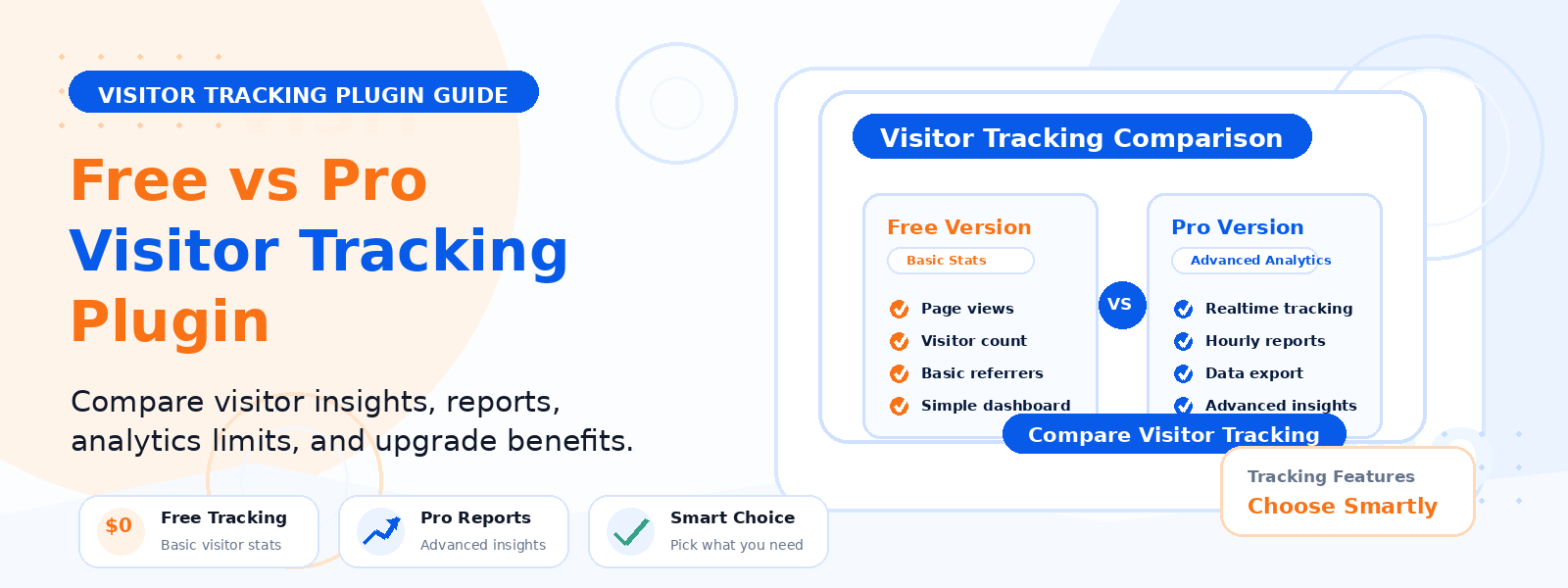
Free version
- Best for basic tracking
- Suitable for personal websites and starter projects
- Simple to use and easy to understand
- Usually limited in reporting and advanced options
PRO version
- Best for growing websites and business use
- Offers more detailed insights
- Often includes extended reporting and better management tools
- More suitable for websites that depend on data-driven decisions
If you only want a quick traffic snapshot, free may be enough. If you want deeper visibility into how users behave on your site, PRO usually offers more long-term value.
When the Free Version Is Enough
A free visitor tracking plugin is often the right choice if you want to keep things simple. It works well when your main goal is to monitor general traffic without spending time on advanced reporting or configuration.
This can be a smart option for:
- Beginners learning WordPress
- Blogs with modest traffic needs
- Small personal websites
- New projects that are still growing
Free tracking is also helpful if you are testing what kind of data matters most before committing to a paid solution.
When You Should Choose PRO
You should consider PRO when your website needs more than the basics. As your site grows, you may want stronger reporting, better organization, and more insight into visitor behavior.
PRO makes more sense when:
- You manage a business website or client projects
- You run an online store and want better performance insight
- You need more detailed traffic analysis
- You want more control over how tracking data is used
- You need a solution that supports long-term growth
For many site owners, upgrading becomes worthwhile once basic reports no longer answer important questions.
How to Decide Which One Is Right for You
The easiest way to choose is to think about your current needs and future goals.
- Choose free if you only need simple traffic tracking and a lightweight setup.
- Choose PRO if you want more detailed visitor insights and better reporting as your site grows.
If you are just starting out, free is often the safest first step. It lets you understand the value of visitor tracking before you invest in more advanced features.
If you already rely on data to improve content, sales, or user experience, PRO may be the better option from the start.
Tips Before You Install a Visitor Tracking Plugin
Before choosing a plugin, make sure it fits your website setup and your long-term goals. A good tracking tool should be easy to use, reliable, and aligned with the kind of data you actually need.
Things to check first
- Whether the plugin is lightweight and easy to manage
- What kind of data is included in the free version
- Which features are reserved for PRO users
- How well the plugin fits your site type
- Whether the reporting level matches your goals
Taking a few minutes to compare these details can save time later and help you avoid upgrading too early or choosing a tool that feels too limited.
Final Verdict
The difference between a free and PRO visitor tracking plugin comes down to the level of insight and control you need. Free tools are ideal for simple tracking and smaller websites. PRO tools are better for users who want deeper data, stronger reporting, and more flexibility.
For most WordPress site owners, the best path is to start with the free version, see what data matters most, and upgrade when your website needs more advanced tracking.
If you are building a growing WordPress site, choosing the right tracking plugin now can help you understand your visitors better and make smarter decisions later.
Related Codersly Resources
Browse more WordPress resources and products on Codersly, or visit the contact page if you need help choosing the right solution for your site.