
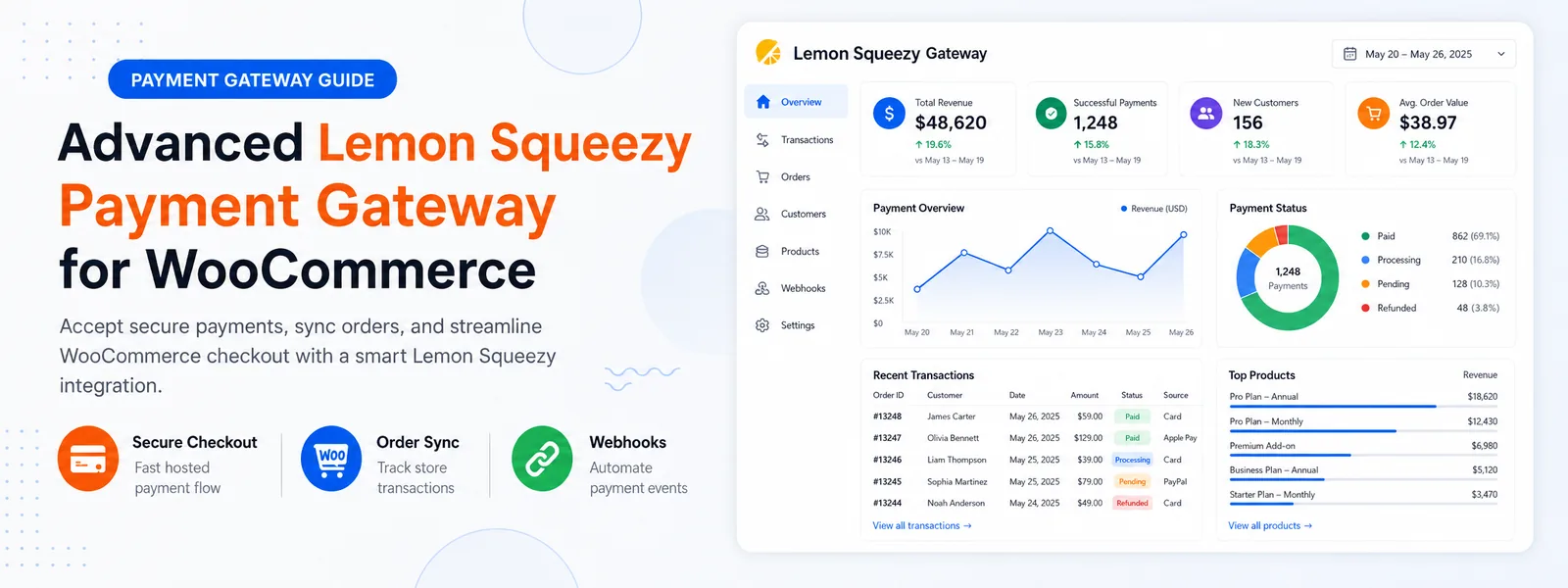
Are you looking for a simple way to connect individual WooCommerce products with Lemon Squeezy checkout pages?
Codersly Checkout
is a free Lemon Squeezy payment gateway integration for WooCommerce that provides a straightforward individual-product payment workflow.
The plugin allows WordPress store owners to map a WooCommerce Product ID to a corresponding Lemon Squeezy Variant ID, send customers to the appropriate hosted checkout and process supported payment notifications through webhooks.
What is Codersly Checkout?
Codersly Checkout is a WordPress plugin that connects WooCommerce products with corresponding Lemon Squeezy payment variants.
It is designed for stores that want to accept payment for one product at a time. Each supported WooCommerce product can be connected to a Lemon Squeezy Variant ID through the Product Mappings interface.
When a customer places an order using the configured payment method, the plugin prepares the correct checkout request and redirects the customer to the appropriate Lemon Squeezy checkout page.
Simple Single-Product Checkout Workflow
The Free version provides a straightforward payment process for individual WooCommerce products. Customers select a product, complete the required WooCommerce checkout information and continue to Lemon Squeezy to make the payment.
WooCommerce continues to manage customer information, product details, order data, sizes, colors and other selected product options. Codersly Checkout focuses on connecting the WooCommerce product with the correct Lemon Squeezy payment variant.
This separation keeps product management inside WooCommerce while Lemon Squeezy handles the configured hosted payment checkout.
Connect WooCommerce Products with Lemon Squeezy Variants
Codersly Checkout includes a Product Mappings page where administrators can connect a WooCommerce Product ID with a Lemon Squeezy Variant ID.
You can configure product mappings directly from the WordPress dashboard without editing your website code.
- Open the Codersly Checkout Product Mappings page.
- Enter the relevant WooCommerce Product ID.
- Enter the corresponding Lemon Squeezy Variant ID.
- Save the product mapping.
- Repeat the process for other supported individual products.
Administrators can also search existing mappings using the WooCommerce Product ID, making larger mapping lists easier to manage.
Lemon Squeezy Webhook Integration
Redirecting a customer to checkout is only one part of the payment process. Your WooCommerce store also needs to receive supported payment notifications after the Lemon Squeezy checkout activity.
Codersly Checkout provides a webhook endpoint that can receive supported Lemon Squeezy payment events. The webhook URL is available on the plugin Settings page and can be copied using the built-in Copy button.
You can add this URL to the appropriate webhook configuration inside your Lemon Squeezy dashboard. After a supported payment notification is received, the plugin can process the event and update the related WooCommerce order information.
Review Payment and Webhook Activity from WordPress
Codersly Checkout includes a built-in logging system that helps administrators review checkout requests, payment events and webhook activity.
- Enable or disable log recording.
- Review checkout and payment-related activity.
- Review supported webhook events.
- Display up to 20 log records per page.
- Browse records using Previous and Next controls.
- Clear stored logs when they are no longer required.
The logging interface provides a convenient place to review payment activity without leaving the WordPress administration area.
Clean Tab-Based WordPress Admin Interface
The plugin provides a responsive, tab-based administration interface with dedicated sections for important checkout settings and activities.
- Settings.
- Product Mappings.
- Payment and Webhook Logs.
- Advanced Features.
- License Information.
Premium features are presented as informative placeholders in the Advanced Features section. This allows Free users to understand which additional capabilities are available in the Pro version without making the basic settings unnecessarily complicated.
Codersly Checkout Free Features
- Lemon Squeezy payment integration for WooCommerce.
- Individual-product checkout workflow.
- WooCommerce Product ID and Lemon Squeezy Variant ID mapping.
- Hosted Lemon Squeezy checkout redirection.
- Supported webhook event processing.
- WooCommerce order-information updates.
- Copyable webhook URL.
- Optional payment and webhook log recording.
- Payment and webhook activity logs.
- Pagination with up to 20 log records per page.
- Searchable product mappings.
- Responsive WordPress administration interface.
Who Should Use Codersly Checkout Free?
Codersly Checkout Free is suitable for store owners who:
- Want to connect individual WooCommerce products with Lemon Squeezy.
- Only need customers to pay for one product at a time.
- Want to configure products using Product ID and Variant ID mapping.
- Prefer a hosted Lemon Squeezy checkout workflow.
- Need supported webhook processing for WooCommerce orders.
- Want to review checkout and webhook activities inside WordPress.
- Want to test the basic integration before moving to an advanced cart workflow.
How the Checkout Process Works
- The administrator connects a WooCommerce Product ID with a Lemon Squeezy Variant ID.
- The customer selects the configured WooCommerce product.
- WooCommerce collects the required customer and order information.
- Codersly Checkout prepares the checkout request for the mapped Lemon Squeezy variant.
- The customer continues to the Lemon Squeezy hosted checkout.
- A supported webhook notification is sent back to the configured endpoint.
- The plugin processes the event and updates the related WooCommerce order information.
When Should You Upgrade to Codersly Checkout Pro?
Codersly Checkout Free is intended for individual-product payments. It is not designed to process a complete shopping cart containing multiple products through a single dynamic order-total payment.
You should consider upgrading to
Codersly Checkout Pro
when your store requires:
- Single or multi-product WooCommerce cart payments.
- Complete dynamic order-total checkout.
- Support for multiple product quantities in the same cart.
- Advanced checkout mode controls.
- Google Ads purchase conversion tracking.
- Meta Pixel purchase tracking.
- TikTok Pixel purchase tracking.
- Premium license activation and management.
Codersly Checkout Free vs Pro
| Requirement | Recommended Version |
|---|---|
| Pay for one individual product | Codersly Checkout Free |
| Map products to Lemon Squeezy Variant IDs | Codersly Checkout Free |
| Receive supported webhook notifications | Free or Pro |
| Review payment and webhook logs | Free or Pro |
| Pay for multiple products in one cart | Codersly Checkout Pro |
| Process the complete dynamic order total | Codersly Checkout Pro |
| Track Google Ads, Meta Pixel or TikTok purchases | Codersly Checkout Pro |
Download the Free Lemon Squeezy Payment Gateway for WooCommerce
Codersly Checkout provides a practical starting point for WooCommerce store owners who need an individual-product Lemon Squeezy payment workflow. It combines simple product mapping, hosted checkout redirection, supported webhook processing and activity logs in a clean WordPress interface.
Download Codersly Checkout Free
Need complete cart payments and purchase conversion tracking?
Explore Codersly Checkout Pro.