
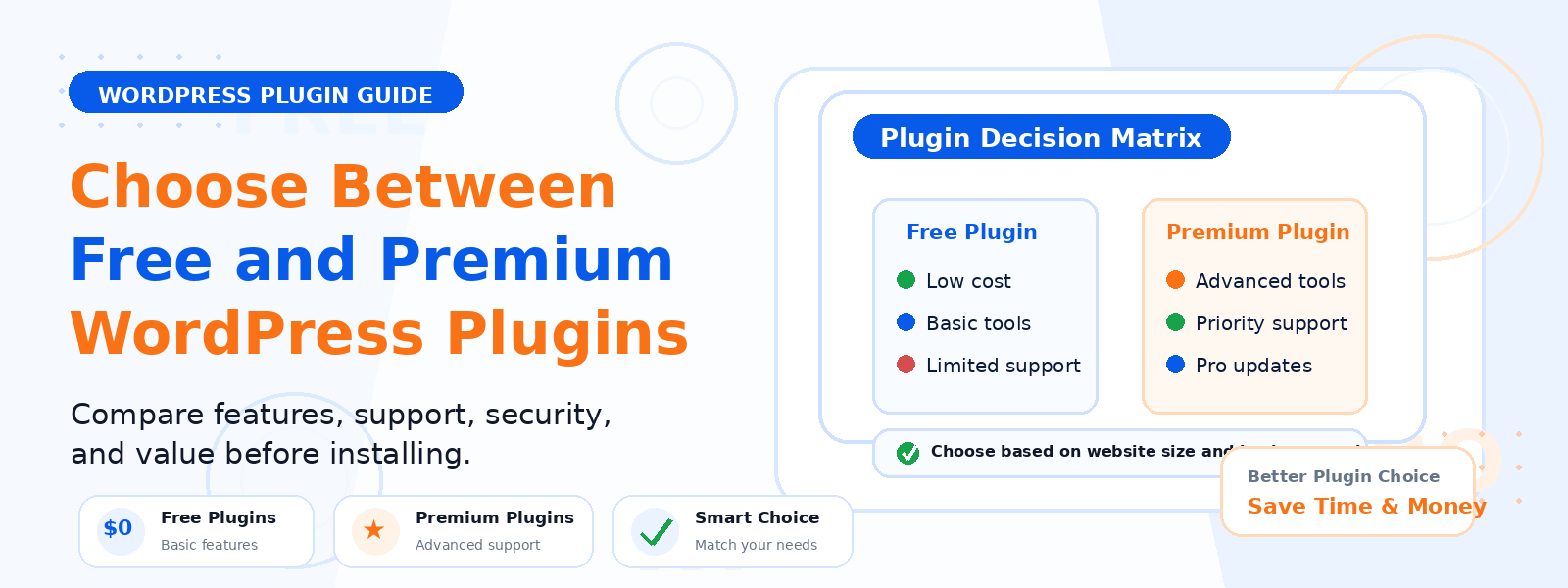
One of the most common dilemmas for WordPress website owners is whether to use free plugins or invest in premium (paid) plugins. Both have genuine advantages and legitimate trade-offs, and the right choice depends on your specific needs, budget, technical requirements, and how critical the functionality is to your website’s success.
In this guide, we’ll walk through the key factors that should inform your decision when choosing between free and premium WordPress plugins — so you can make choices that serve your website well without overspending or under-investing.
The Case for Free WordPress Plugins
Free WordPress plugins are a cornerstone of what makes WordPress such a versatile and accessible platform. The WordPress.org plugin directory hosts over 60,000 free plugins covering virtually every conceivable website function. Many of the most powerful and widely used WordPress plugins — including Akismet, Jetpack, Contact Form 7, WooCommerce itself, and dozens more — are completely free for their core functionality.
Free plugins are ideal when: you’re building your first WordPress site and testing what you actually need, the functionality required is straightforward and well-served by established free options, you’re working with a tight budget and need to prioritize where premium investments deliver the most value, or you’re building a personal or non-commercial website where professional-level support and guarantees aren’t critical.
The Case for Premium WordPress Plugins
Premium plugins exist because some functionality is complex enough, mission-critical enough, or requires ongoing development and support intensive enough that sustainable free distribution isn’t viable. When you pay for a premium plugin, you’re typically paying not just for the software but for the entire ecosystem around it: regular updates, dedicated support, documentation, and the developer’s commitment to maintaining compatibility with new WordPress versions.
Premium plugins are worth investing in when: the plugin handles critical business functions like payments, security, or customer communication, you need reliable, responsive support when something goes wrong, advanced features that aren’t available in free alternatives are required for your specific use case, or the plugin’s functionality directly generates revenue (a conversion optimization tool that improves your checkout rate, for example, quickly pays for itself).
Key Factors to Evaluate When Choosing
Rather than defaulting to either free or premium, evaluate each plugin decision against these specific criteria:
- Business impact: How critical is this functionality to your site’s primary goal? A free backup plugin for a personal blog is fine; a paid backup solution with guaranteed restore functionality is worth it for a revenue-generating business site.
- Support needs: How likely are you to need help? Free plugins offer community forum support, which may be slow or limited. Premium plugins typically offer dedicated, timely support — essential if the plugin handles a critical function.
- Update frequency: Check the “Last Updated” date on free plugins. Plugins that haven’t been updated in 12+ months carry compatibility and security risks. Premium plugin developers have a financial incentive to maintain regular updates.
- Feature completeness: Does the free version provide everything you actually need, or are the features you require locked behind a premium upgrade? If you need the premium features, factor the upgrade cost into your initial evaluation.
- Developer reputation: Research the developer behind any plugin — free or premium. An established, well-reviewed developer with a portfolio of maintained plugins and responsive support forums is a safer choice than an unknown single developer with a plugin that hasn’t been updated recently.
The Freemium Model: Getting the Best of Both
Many of the most popular WordPress plugins follow a “freemium” model — a genuinely useful free version with optional premium upgrades that unlock advanced features. This model lets you try the plugin risk-free, verify that it works well with your theme and other plugins, and only pay for the premium version if you genuinely need the additional features. When evaluating freemium plugins, check that the free version is substantial enough to be useful on its own, not just a heavily crippled preview of the paid version.
Total Cost of Ownership
When evaluating plugin costs, consider the total cost of ownership rather than just the initial purchase price. A premium plugin that costs $79/year but saves you two hours of troubleshooting per month is a worthwhile investment. A free plugin that requires paid developer intervention to configure correctly can cost more in practice than a premium alternative with clear documentation and built-in support. Factor in your time value when evaluating plugin costs — particularly if you’re a business owner for whom time is genuinely scarce.
Conclusion
The best approach to selecting WordPress plugins is neither to exclusively use free plugins out of budget caution nor to automatically pay for premium options out of a belief that paid equals better. Instead, make deliberate, use-case-specific decisions based on business impact, support needs, update reliability, and feature requirements. Invest in premium plugins where they directly affect critical functionality or generate measurable value, and use well-maintained free options everywhere else.