
Categories and tags are two of WordPress’s most fundamental content organization systems — and they’re also two of the most commonly misunderstood and misused features. Used properly, they improve site navigation, help search engines understand your content structure, and make it easier for visitors to discover related content. Used incorrectly, they create duplicate content issues, confuse search engines, and produce a cluttered, disorganized website.
In this guide, we’ll clarify the difference between categories and tags, explain how each should be used, and walk through best practices for organizing your WordPress content taxonomy effectively.
Understanding the Difference Between Categories and Tags
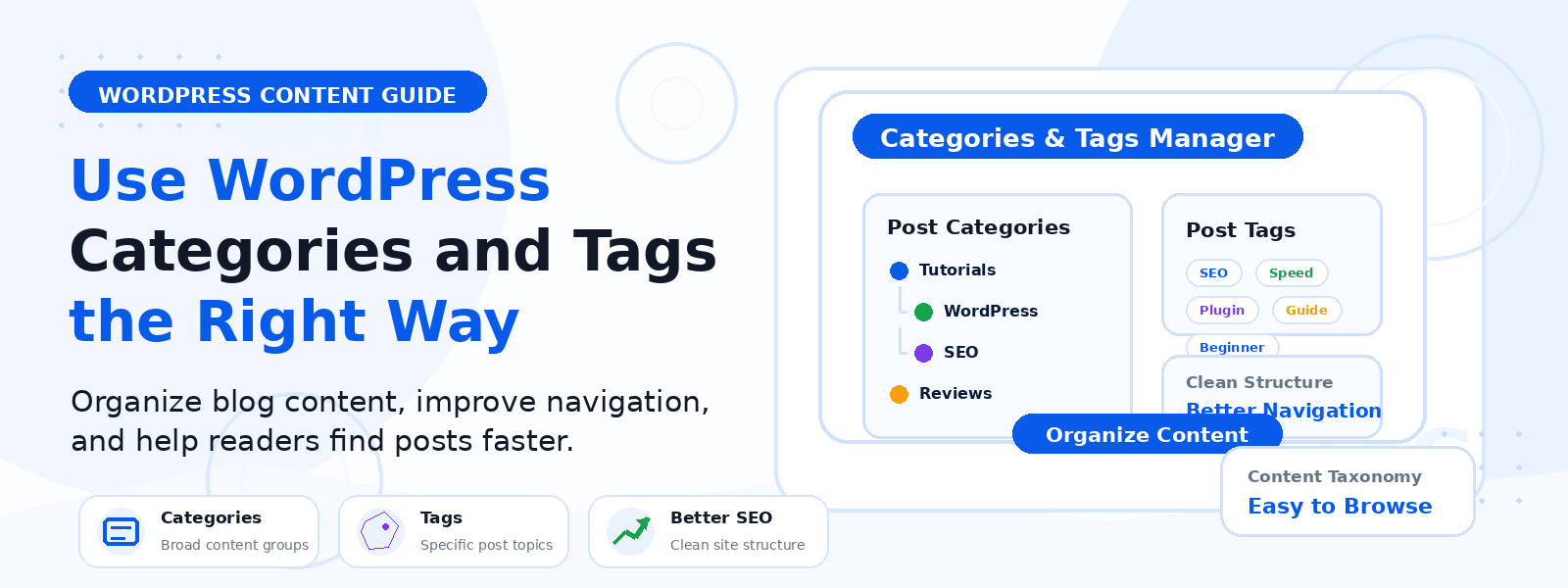
The fundamental difference between categories and tags is one of scope and hierarchy. Think of your website as a library: categories are the major sections of the library (Fiction, Non-Fiction, Biography, Science), while tags are the index keywords that cut across sections (adventure, 19th century, award-winning). Categories represent the broad, primary topics your site covers. Tags represent specific characteristics, topics, or themes that may apply to posts across multiple categories.
In WordPress, categories are hierarchical — you can create parent categories and child subcategories. Tags have no hierarchy — they’re flat labels. Every post must be assigned at least one category (if none is chosen, WordPress assigns the default “Uncategorized” category). Tags are entirely optional.
How to Use Categories Effectively
Your category structure should reflect the primary topic areas of your website in a way that a visitor could use to browse your content collection. A few key guidelines:
- Keep the number of categories small: Most WordPress blogs work well with 5–10 main categories. Too many categories dilutes their organizational value and makes navigation confusing.
- Every post should belong to exactly one category: Assigning posts to multiple categories creates confusion about the post’s primary topic and can cause duplicate content issues in category archive pages.
- Category names should be broad enough to include multiple posts: If a category has only one or two posts, it’s probably too narrow and should be merged with a related category or converted to a tag.
- Create meaningful category descriptions: WordPress allows you to add a description to each category. Use this to describe what content visitors will find — it’s displayed on many themes and helps both visitors and search engines understand the category’s content.
How to Use Tags Effectively
Tags work best when used as specific, consistent descriptors that help visitors find posts with a particular characteristic across multiple categories. For example, a cooking blog might have categories like Breakfast, Dinner, and Desserts, with tags like quick-meals, vegetarian, gluten-free, and budget-friendly that cut across all categories. Best practices for tags include:
- Be selective: Only add tags that you’ll use across multiple posts. A tag that applies to only one post provides no organizational value.
- Be consistent: Create a standardized tag vocabulary and stick to it. Avoid creating variations of the same tag (wordpress-seo vs. seo-for-wordpress vs. wp-seo) — choose one form and always use it.
- Don’t overlap tags and categories: If you have a category called “WordPress Plugins,” don’t also create a tag called “WordPress Plugins” — this creates redundant archive pages with similar content.
SEO Considerations for Categories and Tags
Both category archives and tag archives create pages on your WordPress website that search engines can index. This is where poor taxonomy management creates SEO problems. If you have dozens of tag pages with only one or two posts each, those thin-content pages can drag down your site’s overall quality signals in Google’s eyes. Configure your SEO plugin to noindex tag archives that don’t have significant content, and consider noindexing tag archives entirely if tags are used primarily for internal navigation rather than as search landing pages.
Category pages, on the other hand, can be valuable SEO assets if they’re well-populated with quality content and have meaningful descriptions. Optimize your most important category pages with unique meta titles, meta descriptions, and category descriptions that target relevant keywords — these can rank in search results and serve as valuable entry points for organic search traffic.
Cleaning Up Existing Taxonomy Problems
If your WordPress site has been running for a while, you likely have accumulated category and tag issues: uncategorized posts, tags used only once, inconsistently named variations of the same concept, or overlapping categories. Use a taxonomy management plugin or WordPress’s built-in Category and Tag management tools to audit and clean up your existing taxonomy. Merge similar tags, assign uncategorized posts to appropriate categories, and delete unused tags. This cleanup improves site organization for visitors and reduces low-quality archive pages for search engines.
Conclusion
The proper use of categories and tags in WordPress is a fundamental aspect of creating a well-organized, SEO-friendly website. Categories provide the primary navigational structure for your content, while tags add specific descriptive detail. By keeping categories broad and limited in number, using tags selectively and consistently, and avoiding overlap between the two systems, you create a content taxonomy that serves both your visitors and search engines effectively — making your WordPress site easier to navigate, understand, and rank.