
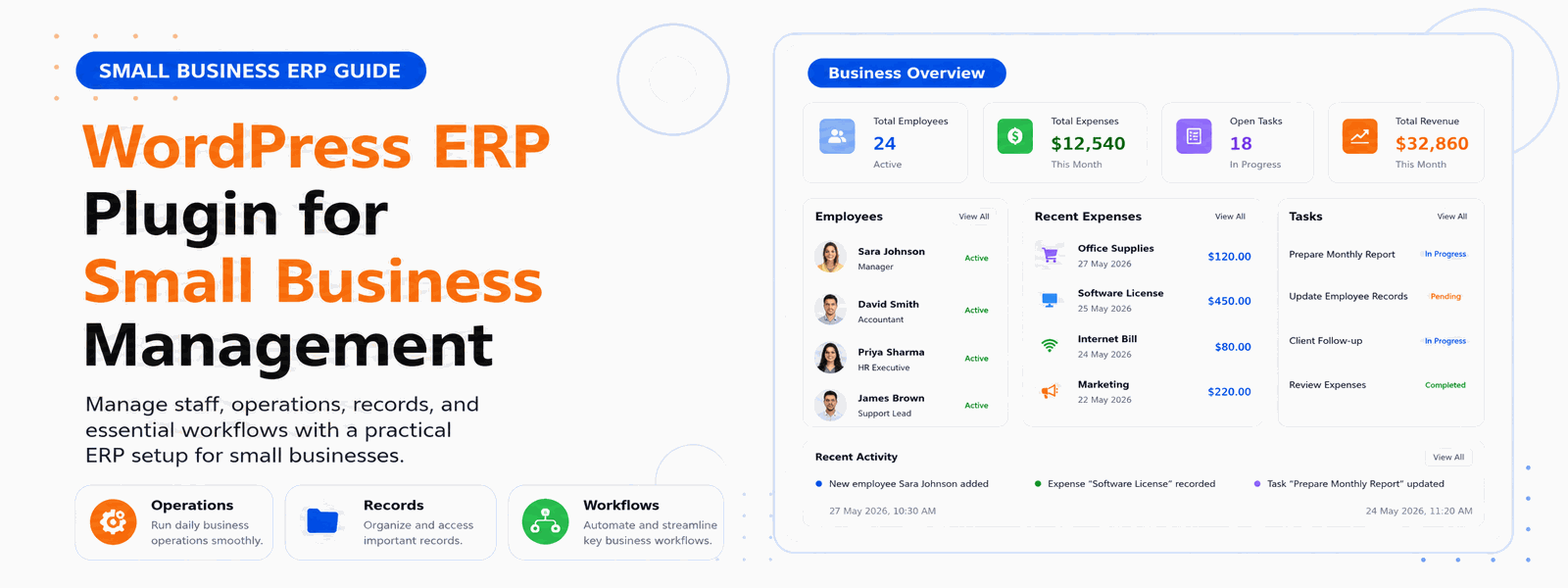
A WordPress ERP plugin transforms your WordPress website into a full-featured business management platform. Instead of paying for expensive standalone ERP systems that require dedicated training and separate logins, small businesses can now manage their entire operations from within the WordPress admin they already know and use every day. The result is a more integrated, more affordable, and ultimately more effective approach to small business management.
What Does a WordPress ERP Plugin Do?
A WordPress ERP plugin integrates core business functions into a single unified dashboard within your WordPress installation. Rather than treating each business function as a separate module that needs to be configured independently, a well-designed ERP plugin creates a cohesive system where data flows naturally between human resources, customer relationship management, sales tracking, and reporting functions. The result is a business management environment where every team member has access to the data they need, and managers have visibility across all business operations from one screen.
The Problem with Fragmented Business Management Tools
Most small businesses start by adopting individual tools for each business function as the need arises — a spreadsheet for HR, a free CRM for customer management, and a separate accounting tool. Over time, this creates a fragmented landscape of disconnected systems, each requiring separate logins and maintaining its own data. When you want to understand how your HR costs relate to your sales performance, you have to manually extract data from multiple systems and combine it. A WordPress ERP plugin eliminates this fragmentation by centralizing all business data in one place.
Benefits of Using WordPress as an ERP System
The advantages of managing your business through a WordPress ERP plugin extend beyond just cost savings:
- No separate software subscriptions — everything runs within your existing WordPress installation
- Single login for both website management and business operations, reducing context-switching for your team
- Familiar WordPress interface that your team learns quickly without extensive training
- Easily extensible with other WordPress plugins to add functionality as your business grows
- Cost-effective pricing model suitable for small businesses at any stage of growth
- All business data stored on your own server, giving you complete data ownership and privacy control
- Seamless integration with WooCommerce for businesses that also sell products online
Core Modules Every WordPress ERP Plugin Should Have
When evaluating WordPress ERP plugins, look for these essential modules that cover the fundamental needs of small business management. Employee Management should handle personnel records, org charts, and role assignments. Attendance and Leave Management is critical for accurate payroll and workforce planning. Payroll Processing should automate salary calculations and payslip generation. CRM should track customers, leads, and interactions. Sales and Revenue Reporting should provide visibility into business performance. These modules, working together in an integrated system, cover the majority of small business operational needs.
Implementation: Getting Started with WordPress ERP
One of the most appealing aspects of a WordPress ERP plugin is how quickly it can be implemented. Unlike enterprise ERP systems that require months of implementation and professional services, a WordPress ERP plugin can typically be installed, configured, and running within a day. The familiar WordPress environment means your team faces a much shorter learning curve, and most basic operations are intuitive enough to figure out without formal training. For small businesses that need to move quickly, this rapid deployment advantage is significant.
Scaling Your WordPress ERP as the Business Grows
A good WordPress ERP plugin should grow with your business. As you add more employees, the system should handle larger data volumes without performance degradation. As you add new business processes, the plugin should either support them natively or integrate with specialized tools that do. When evaluating ERP plugins, consider not just your current needs but where your business will be in two or three years. A plugin that serves five employees should also serve fifty.
Codersly ERP Plugin for Small Business Management
The Codersly ERP WordPress Plugin delivers professional-grade business management without enterprise-level complexity or cost. It’s intuitive, lightweight, and integrates seamlessly with WordPress. The plugin covers employee management, attendance tracking, leave management, payroll, CRM, and sales reporting — giving small businesses a complete operational foundation without the subscription fees of standalone ERP systems.
Who Should Use a WordPress ERP Plugin?
The Codersly ERP Plugin is ideal for small businesses with 5–100 employees that want to consolidate their management tools. Startups need affordable business management infrastructure that won’t drain limited resources. Entrepreneurs who already run their business presence on WordPress benefit from unifying their operational management in the same environment. Service businesses managing clients and staff find the combined CRM and HR functionality particularly valuable for day-to-day operations.
Conclusion
Upgrade your WordPress site to a complete business management system. Download the Codersly ERP WordPress Plugin and start managing your small business more effectively today — with all your operational data in one place, accessible to your entire team.