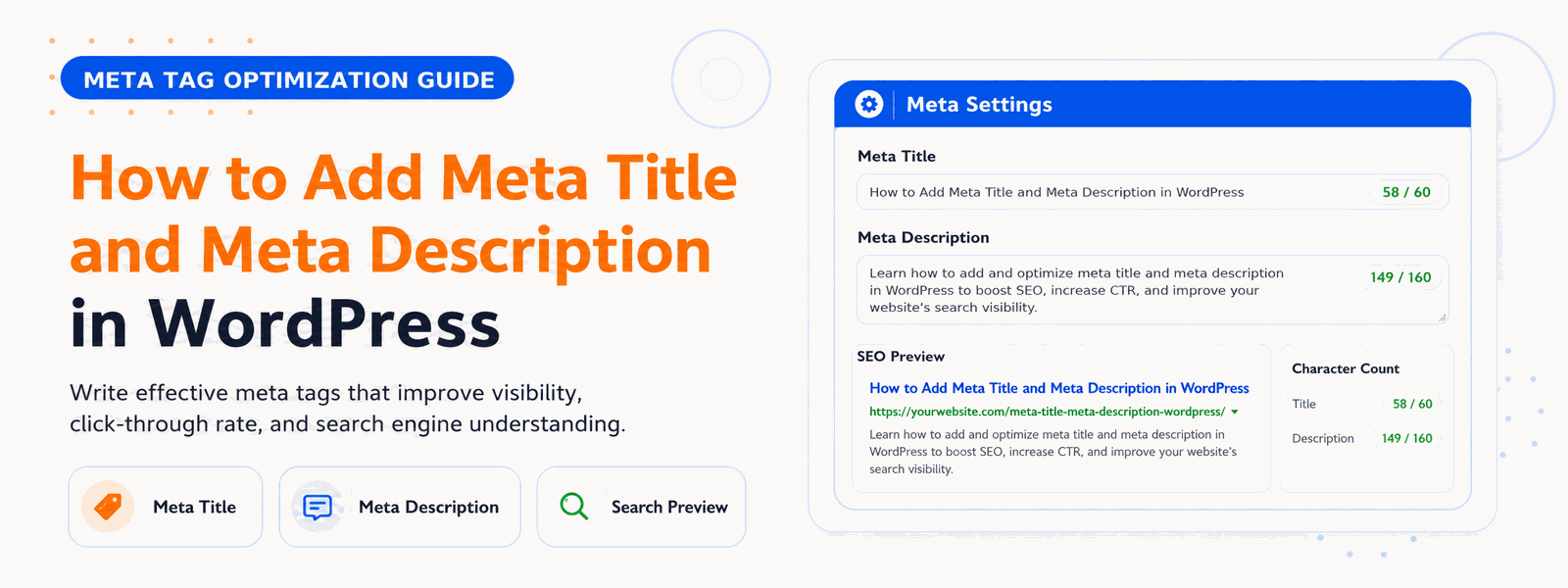
One of the most fundamental aspects of on-page SEO is getting your meta title and meta description right. These two HTML elements are what appear in Google search results — they’re your website’s first impression on potential visitors. Yet many WordPress users don’t know how to properly set them, or they leave them to be auto-generated, which often results in poor-quality snippets that hurt click-through rates.
In this guide, we’ll walk you through exactly how to add, edit, and optimize meta titles and meta descriptions in WordPress — step by step — using both manual methods and SEO plugins.
What Is a Meta Title?
The meta title (also called the SEO title or title tag) is the clickable blue headline that appears in Google search results. It tells both users and search engines what the page is about. A well-written meta title includes your primary keyword, stays under 60 characters, and is compelling enough to earn a click.
For example, instead of leaving your WordPress post title as “My Blog Post About SEO,” a proper meta title might read: “10 Proven SEO Tips for WordPress Beginners (2026 Guide).” The difference in click-through rate between a generic auto-generated title and a crafted one can be enormous.
What Is a Meta Description?
The meta description is the short paragraph of text that appears below the meta title in search results. While it’s not a direct ranking factor, it has a major indirect impact on your SEO because it influences your click-through rate (CTR). A higher CTR signals to Google that your page is relevant and valuable, which can improve your rankings over time.
A good meta description summarizes the page content, includes the target keyword naturally, ends with a subtle call to action, and stays within 150–160 characters to avoid being truncated in search results.
Does WordPress Add Meta Titles and Descriptions Automatically?
By default, WordPress uses your post title as the page title tag. However, it does not automatically generate optimized meta descriptions — it typically leaves the meta description blank or pulls the first few sentences of your content, which is rarely ideal for SEO. This is why installing an SEO plugin is highly recommended for any serious WordPress website.
How to Add Meta Title and Meta Description Using an SEO Plugin
The easiest and most reliable way to manage meta titles and descriptions in WordPress is through a dedicated SEO plugin. Here’s the step-by-step process:
- Install and activate an SEO plugin (such as Codersly SEO) from the WordPress plugin repository.
- Open the post or page you want to optimize in the WordPress editor.
- Scroll down to the SEO meta box that appears below the content editor.
- In the SEO Title field, type your custom meta title (aim for 50–60 characters).
- In the Meta Description field, write a compelling 150–160 character summary of the page.
- Use the live preview to see how your snippet will appear in Google search results.
- Save or publish the post — your meta data will now be embedded in the page’s HTML head section.
Best Practices for Writing Meta Titles
- Include your primary keyword near the beginning of the title
- Keep it under 60 characters to prevent truncation in search results
- Make it unique for every page on your website
- Add your brand name at the end if space allows (e.g., “Best WordPress SEO Tips | Codersly”)
- Use numbers, power words, or current year to make it more clickable
Best Practices for Writing Meta Descriptions
- Write a clear, accurate summary of what the page offers
- Include the target keyword naturally (Google bolds it in search results)
- Stay within 150–160 characters to avoid truncation
- End with a soft call to action: “Learn more,” “Get started,” “Find out how”
- Make every description unique — never duplicate meta descriptions across pages
How to Check If Your Meta Tags Are Working
After setting your meta title and description, you can verify they’re correctly implemented using Google Search Console, which shows how your pages appear in search results. You can also use free browser extensions like “SEO Meta in 1 Click” to quickly inspect the meta tags on any live page. Additionally, tools like Google’s Rich Results Test and the Bing Webmaster Tools snippet preview can show you exactly how your page will appear in each search engine.
Conclusion
Adding optimized meta titles and meta descriptions to every page of your WordPress site is one of the highest-ROI SEO tasks you can perform. It costs nothing, takes just minutes per page, and can meaningfully improve both your rankings and your click-through rates from search results. Use a lightweight SEO plugin like Codersly SEO to make the process fast, easy, and reliable across your entire website.