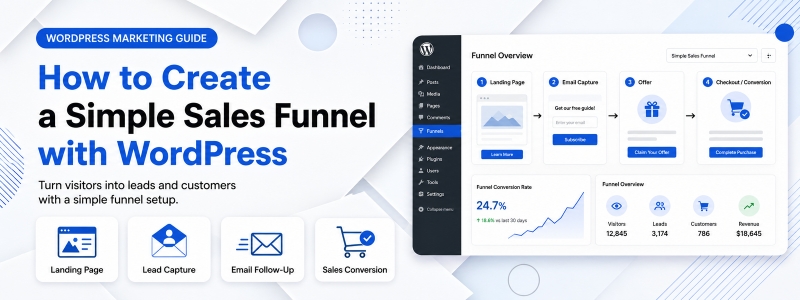
A sales funnel is the journey a potential customer takes from first discovering your brand to completing a purchase — and beyond. Building a well-structured sales funnel on your WordPress website can transform random, one-off visitors into predictable, repeat customers. The good news is that you don’t need expensive funnel-building software to create an effective funnel — WordPress, combined with the right plugins, can handle the entire process.
In this guide, we’ll walk through how to build a basic but effective sales funnel using WordPress, covering each stage of the funnel and the tools and pages you’ll need to implement at each step.
Understanding the Stages of a Sales Funnel
A basic sales funnel has four core stages: Awareness (the potential customer discovers you), Interest (they engage with your content and learn more), Decision (they evaluate your offer and consider purchasing), and Action (they complete the purchase). Your WordPress website needs to have the right pages, content, and mechanisms in place to move visitors smoothly through each of these stages.
Stage 1: Attract Visitors (Top of Funnel)
The top of your funnel is about generating awareness — getting the right people to discover your WordPress website. Your primary top-of-funnel tools include your blog (attracting organic search traffic), social media content linking back to your site, paid advertising campaigns, and guest posting on other websites. Create educational, informative blog posts that address the specific problems and questions your ideal customers have. Optimize these posts for SEO so they attract organic traffic from people actively searching for solutions you provide.
Stage 2: Capture Leads (Middle of Funnel Entry)
Traffic is worthless unless you can capture contact information from interested visitors before they leave. The most effective lead capture mechanism is a compelling lead magnet — a free, high-value resource offered in exchange for an email address. Examples include a free ebook or guide, a checklist or template, a free mini-course, a discount coupon, or a free consultation. Create a dedicated landing page for your lead magnet using a page builder or a dedicated landing page plugin, and place opt-in forms in strategic locations throughout your site.
Stage 3: Nurture Leads with Email Marketing
Once you’ve captured a lead’s email address, the next step is to nurture that relationship through a well-crafted email sequence. Set up an automated email sequence (often called a drip campaign) that delivers value, builds trust, and gradually introduces your paid offer. A typical nurture sequence for a basic funnel might include: a welcome email delivering the lead magnet, two to three educational emails that provide additional value and establish your expertise, one or two emails that introduce your product or service and address common objections, and a closing email with a clear call to action and limited-time offer.
Stage 4: Present Your Offer (Bottom of Funnel)
After nurturing your leads, it’s time to present your paid offer in the most compelling way possible. Create a dedicated sales page that includes a strong headline, detailed product or service description, social proof (testimonials, case studies, reviews), clear pricing with any available discounts, risk reducers (money-back guarantee, free trial), and a prominent purchase button. For WooCommerce stores, this is typically your product page. For service businesses, it’s often a dedicated service landing page with a contact or booking form.
Stage 5: Convert and Follow Up
The checkout and post-purchase experience are critical components of a complete funnel. Optimize your WooCommerce checkout for minimal friction — offer guest checkout, reduce form fields, show trust badges, and ensure mobile compatibility. After purchase, send an automated thank-you email with order details and any next steps. Consider setting up a post-purchase upsell or cross-sell sequence to increase average order value over time.
Essential WordPress Plugins for Funnel Building
To implement a complete sales funnel on WordPress, you’ll typically need: a page builder plugin for creating landing pages, an email marketing plugin or integration for lead capture and nurturing, WooCommerce or a payment plugin for processing transactions, and an analytics tool to track funnel performance. Many of these functions can be handled by free or affordable WordPress plugins, making funnel building accessible without a large budget.
Measuring and Improving Your Funnel
Once your funnel is live, track key metrics at each stage: traffic to your top-of-funnel content, lead magnet opt-in conversion rate, email open and click rates, sales page conversion rate, and overall revenue per visitor. Use this data to identify where the most visitors drop off — that’s where to focus your optimization effort first. Even small improvements at the bottleneck stage of your funnel can have a disproportionate impact on overall results.
Conclusion
Building a basic sales funnel on WordPress is a highly achievable goal for any website owner, regardless of technical background. By combining strategic content creation, effective lead capture, thoughtful email nurturing, and a well-crafted sales page, you can create a predictable system for converting visitors into customers — one that works for your business even while you sleep.