
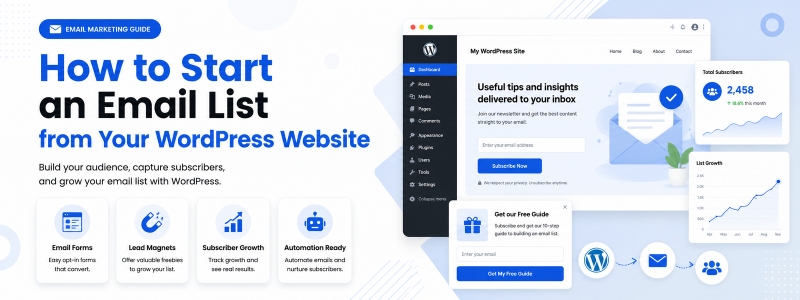
An email list is one of the most valuable assets a WordPress website can build. Unlike social media followers (who you can only reach when the platform’s algorithm shows your content) or organic search traffic (which can shift dramatically with each Google update), an email list is an audience you own and control — a direct line to people who have actively chosen to hear from you.
Building a powerful email list from your WordPress website requires more than just adding an opt-in form to your sidebar. It requires a strategic approach that attracts the right subscribers, gives them a compelling reason to join, and nurtures them into a loyal, engaged community. Here’s how to do it effectively.
Why an Email List Is Your Most Valuable Marketing Asset
Email marketing consistently delivers the highest ROI of any digital marketing channel — research by the Data & Marketing Association puts the average return at $36 for every $1 spent. The reason is simple: email reaches people directly in their inbox, where they’re focused and receptive, rather than competing for attention in a crowded social media feed. Your email subscribers have self-selected as people interested in your content, products, or services — they’re your most qualified and engaged audience.
Step 1: Choose the Right Email Marketing Tool
Before you can build an email list, you need an email marketing platform to store subscribers, design emails, and send campaigns. Popular options with free starting plans include Mailchimp (free up to 500 subscribers), Brevo (formerly Sendinblue), MailerLite, and for a fully WordPress-integrated option, a newsletter plugin that manages subscribers directly in your WordPress database. Choose a platform that integrates easily with your WordPress site and offers the automation features you’ll need as your list grows.
Step 2: Create a Compelling Lead Magnet
The single most effective way to dramatically accelerate list growth is to offer a high-value lead magnet — a free resource that visitors receive immediately in exchange for their email address. Effective lead magnets for WordPress sites include: PDF guides or ebooks covering a topic your audience wants to learn about, checklists or templates that save time on a task your audience regularly performs, free email courses or mini-series delivered over several days, exclusive discount codes for WooCommerce stores, or access to a private resource library. The lead magnet must be genuinely valuable — a low-quality freebie produces subscribers who quickly unsubscribe.
Step 3: Place Opt-in Forms Strategically
Even the best lead magnet won’t grow your list if visitors can’t easily find your opt-in form. Place opt-in forms in multiple high-visibility locations on your WordPress site: at the end of every blog post (where engaged readers are), in a sticky header or announcement bar, in exit-intent popups that appear when visitors move to leave the page, in your site’s sidebar (for traditional blog layouts), on a dedicated newsletter landing page, and as inline forms within your most popular content. Each additional placement increases your list growth rate.
Step 4: Write Persuasive Opt-in Copy
The text surrounding your opt-in form is as important as the form’s placement. Clearly communicate what the subscriber will receive, how often you’ll email them, and the specific benefit of subscribing. Instead of a generic “Subscribe to our newsletter,” write something specific and benefit-focused: “Get weekly WordPress tips that save you 2 hours a week — plus a free Security Checklist when you join.” Address any common objections (you can unsubscribe at any time, no spam, etc.) near the submit button.
Step 5: Set Up a Welcome Email Sequence
Your relationship with a new subscriber starts the moment they confirm their subscription. Send an immediate welcome email that delivers any promised lead magnet, introduces yourself and the blog, sets expectations for future emails, and ideally encourages one specific action (reading your most popular post, following you on social media, or replying with a question). Follow up with a short nurture sequence of 3–5 emails over the next two weeks that delivers additional value and builds familiarity before you send any promotional emails.
Step 6: Grow Your List with Content Upgrades
Content upgrades are lead magnets that are specific to an individual blog post — offering the reader something that directly extends the value of the post they just read. For example, a post about WordPress security might offer a downloadable “WordPress Security Checklist PDF” as a content upgrade. Content upgrades typically convert at 3–5 times the rate of generic sidebar opt-in forms because they’re perfectly aligned with the reader’s current intent and interest.
Step 7: Maintain List Quality
A large email list is valuable only if it’s engaged. Regularly clean your list by removing subscribers who haven’t opened any of your last 10–15 emails. Send re-engagement campaigns to dormant subscribers before removing them. Monitor your open rate, click rate, and unsubscribe rate per campaign — these metrics tell you how well you’re serving your audience and whether the content resonates. A healthy, engaged list of 1,000 people will generate better results than a neglected list of 10,000.
Conclusion
Building a powerful email list from your WordPress website is a long-term investment that pays compounding dividends. Every new subscriber represents a direct relationship with a person genuinely interested in what you offer. By creating a compelling lead magnet, placing opt-in forms strategically, writing persuasive copy, and consistently delivering value through your email campaigns, you build an audience asset that supports every other aspect of your online presence — from product launches to content distribution to customer retention.