
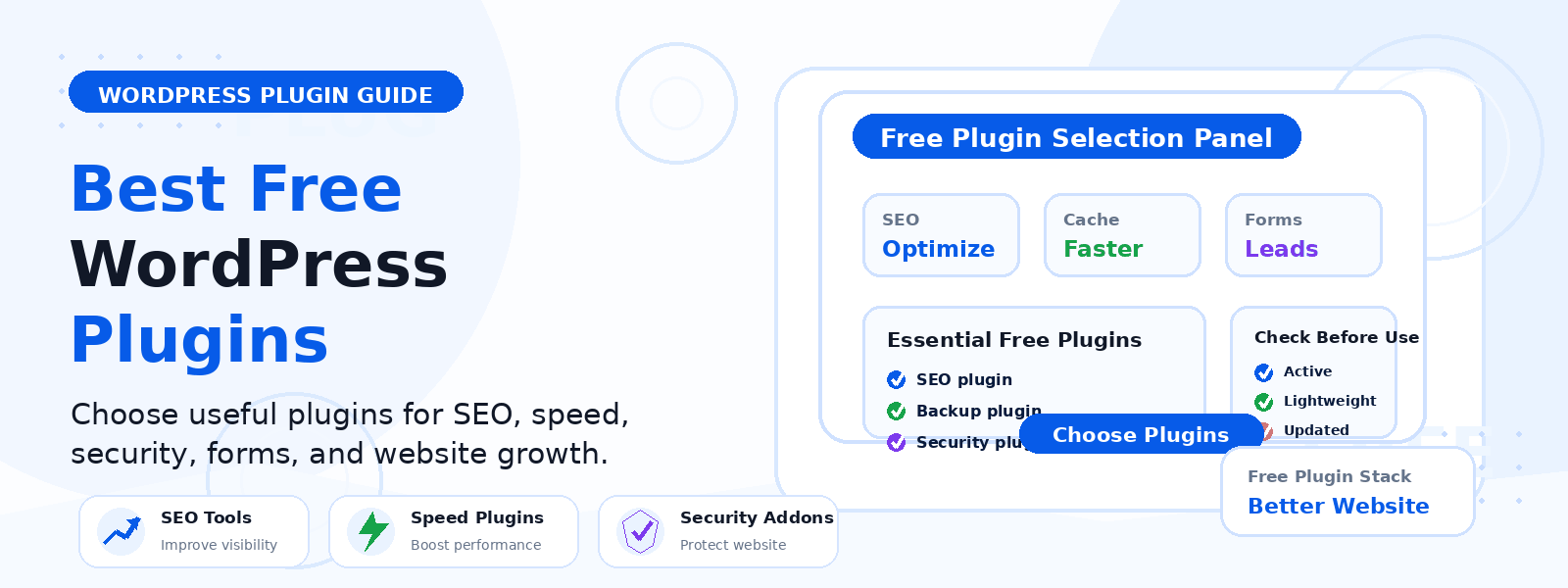
Launching a new WordPress website is exciting, but the first few decisions you make can shape how well it performs over time. One of the smartest early steps is installing the right free plugins. The best free WordPress plugins help you improve search visibility, protect your site, collect leads, speed up performance, and create a smoother experience for visitors.
At Codersly, we focus on WordPress themes and plugins that help website owners build better sites with less guesswork. If you are starting a new website and want to avoid unnecessary tools, this guide will help you choose the essentials first.
Why free plugins matter for a new website
When a WordPress site is brand new, it usually needs a few core features right away. You may want better SEO, a contact form, security protection, caching, or backup tools. Free plugins are a practical way to cover those needs without stretching your budget.
The key is to install only what you actually need. Too many plugins can slow down a site or make maintenance harder. The goal is to build a simple, reliable foundation with high-quality tools.
The best free WordPress plugins to install first
Every website is different, but these categories are the most useful for most beginners. Instead of loading your site with dozens of plugins, start with the essentials below.
1. SEO plugin
A good SEO plugin helps search engines understand your content and gives you control over important settings like titles, meta descriptions, XML sitemaps, and social sharing data. For a new website, this is one of the most important plugins you can install early.
Look for a free plugin that makes it easy to:
- Set page and post titles
- Write meta descriptions
- Generate XML sitemaps
- Manage indexing settings
- Add Open Graph and social metadata
Once this is in place, your content has a much better chance of being found and displayed properly in search results.
2. Security plugin
New websites are often more vulnerable because they have not yet established strong security routines. A free security plugin can add an extra layer of protection through login monitoring, firewall features, malware scanning, and basic hardening settings.
For beginners, the best option is usually one that is easy to configure and does not overwhelm you with technical settings. You want protection that works in the background while you focus on publishing content and growing traffic.
3. Backup plugin
A backup plugin is essential because mistakes, updates, and server issues can happen at any time. If something goes wrong, a recent backup lets you restore your site quickly.
When choosing a free backup plugin, check whether it offers:
- Automatic scheduled backups
- Cloud storage support
- One-click restore options
- Database and file backups
Even a simple backup setup is far better than having no backup plan at all.
4. Caching or performance plugin
Site speed matters for user experience and SEO. A caching plugin helps your WordPress pages load faster by storing static versions of your content and reducing server work.
Many free performance plugins also include helpful features like file optimization, browser caching, or image-related tools. For a new site, speed improvements can make a noticeable difference, especially if you use a larger theme or publish image-heavy content.
If you are using premium WordPress themes from Codersly, a lightweight performance setup can help your design load efficiently and keep the browsing experience smooth.
5. Contact form plugin
Every new website should make it easy for visitors to get in touch. A free contact form plugin helps you create a professional contact form without coding.
Use it for:
- General inquiries
- Support requests
- Quote or service questions
- Newsletter signups
If your site has a Contact page, a reliable form plugin is one of the simplest ways to improve communication and collect leads.
6. Analytics plugin or site verification tool
Understanding how visitors find and use your website is important from day one. A free analytics plugin or a lightweight verification plugin can help you connect your site to tools that track traffic, clicks, and user behavior.
This information helps you see which pages are performing well, where visitors are coming from, and what content needs improvement. For a new website, that insight is extremely valuable because it removes a lot of guesswork.
7. Image optimization plugin
Images are often one of the main reasons a new website feels slow. An image optimization plugin can compress images so they load faster without a major drop in quality.
This is especially useful if your site uses:
- Large feature images
- Product screenshots
- Portfolio photos
- Blog graphics
For beginners, an image optimizer is a simple way to improve page speed without changing your content strategy.
8. Spam protection plugin
As soon as you add forms or comments, spam can become a problem. A free spam protection plugin helps reduce fake submissions and unwanted comments.
This keeps your inbox cleaner and helps you focus on real messages from real visitors. If your site includes a contact form or allows comments, spam protection is worth installing early.
How to choose the right free plugins
Not every plugin is a good fit for every website. Before installing anything, check a few basics:
- Recent updates: Choose plugins that are actively maintained.
- Good reviews: Look for a solid reputation from real users.
- Clear purpose: Each plugin should solve a specific problem.
- Compatibility: Make sure it works with your WordPress version and theme.
- Lightweight design: Avoid tools that add unnecessary clutter.
If two plugins do the same thing, use the one that is easier to manage and better supported. Simplicity is usually the best choice for a new site.
Plugins you may not need right away
It is tempting to install everything at once, but many websites do not need extra complexity in the beginning. You may want to wait before adding plugins for advanced memberships, large-scale eCommerce, forums, or page-building features unless your site truly needs them.
Start with the essentials first, then expand as your website grows and your goals become clearer. That approach keeps your site easier to maintain and reduces the chance of plugin conflicts.
Best practices for plugin setup
Installing the right plugin is only part of the process. A few simple habits can help your website stay healthy:
- Install plugins one at a time so you can test changes
- Remove plugins you are not actively using
- Keep all plugins updated
- Use backups before major changes
- Check your site speed after adding new tools
These habits make it easier to keep your WordPress site stable as you add content and refine your design.
Final thoughts
The best free WordPress plugins for a new website are the ones that solve real problems without adding unnecessary complexity. For most beginners, that means starting with SEO, security, backups, performance, forms, analytics, image optimization, and spam protection.
Once those basics are covered, you can focus on growing your website with better content, stronger branding, and a cleaner user experience. If you are building your site with premium WordPress products, Codersly offers themes and plugins designed to help you launch with confidence.
Keep your plugin stack simple, choose reputable tools, and build your site step by step. That is the easiest way to create a WordPress website that is easier to manage and ready to grow.