
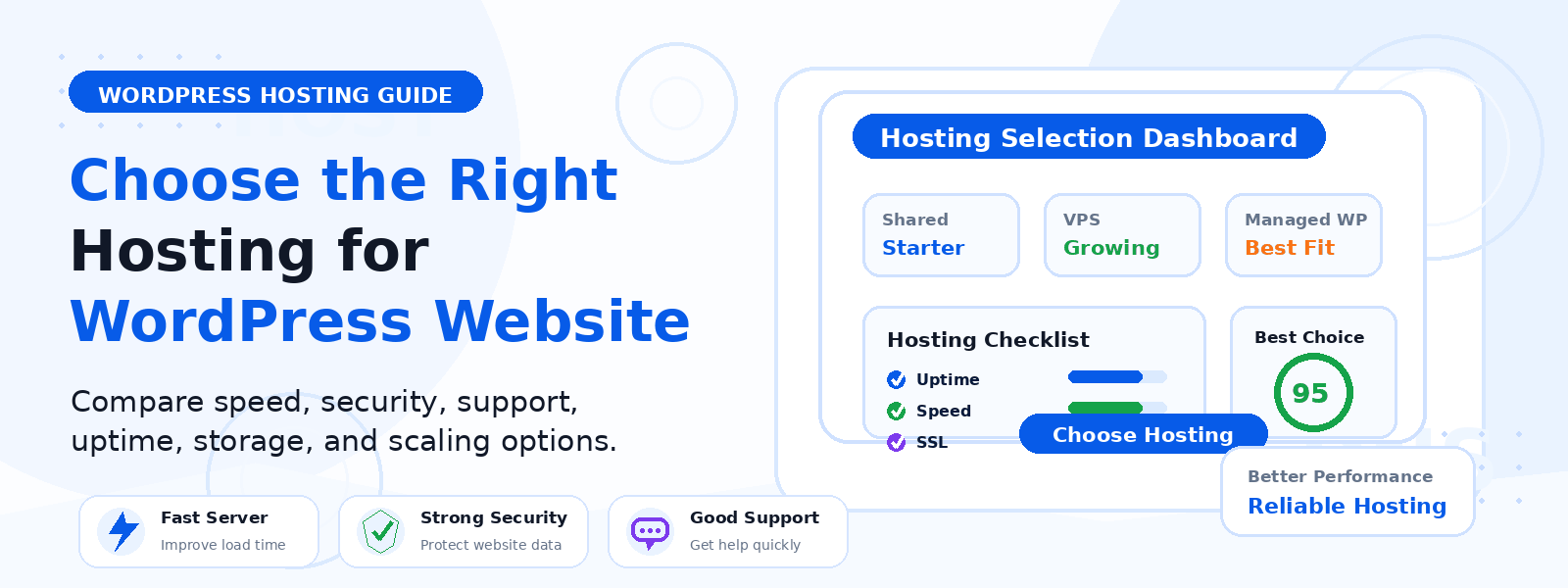
Choosing the right hosting for your WordPress website is one of the most important decisions you can make. The host you select affects your site’s speed, security, reliability, and how smoothly your themes and plugins perform.
If you run a blog, business site, online store, or a plugin-driven website, the wrong hosting plan can lead to slow pages, downtime, and technical headaches. The right host, on the other hand, gives your WordPress site a strong foundation from day one.
at Codersly, where premium WordPress themes and plugins are built for practical website needs, hosting matters even more. A well-built WordPress setup should not only look good and function well, but also load quickly and stay stable as your site grows.
Why WordPress Hosting Matters
WordPress hosting is more than just web space. It affects how your site handles traffic, how fast pages load, and how easily you can manage updates, backups, and security.
When your hosting is optimized for WordPress, your website is better prepared for theme installations, plugin updates, image-heavy pages, and regular content publishing. That means fewer interruptions and a better experience for visitors.
Start by Identifying Your Website Needs
Before comparing hosting providers, define what your website actually needs. Different WordPress sites require different levels of performance and support.
For a new blog or simple site
If you are launching a small blog or portfolio site, shared hosting or managed WordPress starter plans may be enough. These options are often budget-friendly and easy to manage.
For a growing business site
If your site has important pages, contact forms, lead generation, or a growing number of visitors, look for better performance, stronger uptime guarantees, and responsive support.
For plugin-heavy or theme-rich websites
If your site uses multiple premium plugins, advanced page builders, or custom functionality, hosting should offer enough resources to keep everything running smoothly. This is especially important if your WordPress setup includes tools from WordPress product companies like Codersly.
Look for Speed and Performance Features
Speed is one of the first things to check when choosing hosting. A fast website improves user experience and can support better SEO performance.
Look for hosting providers that offer:
- Solid-state drives (SSD or NVMe storage)
- Server-level caching
- Content delivery network (CDN) integration
- PHP version support for WordPress
- Optimized WordPress server environments
Fast hosting is especially useful if you use visually rich themes, image galleries, or plugins that add dynamic features to your site.
Check Security Features Carefully
WordPress sites are common targets for security attacks, so your hosting should include strong protection tools. Basic hosting should not mean basic security.
Important security features include:
- Free SSL certificate
- Automatic malware scanning
- Daily backups
- Firewall protection
- Easy restore options
If you install premium plugins or manage customer data, security becomes even more important. A secure host helps protect your site, your content, and your users.
Choose a Host with Reliable Support
Even with a well-built WordPress site, issues can happen. Maybe a plugin update causes a conflict, a theme setting breaks a layout, or your site suddenly slows down. In those moments, support matters.
Choose a host that offers:
- 24/7 support
- WordPress-trained support staff
- Live chat, ticket, or phone support
- Helpful documentation and tutorials
Good support is especially valuable for beginners who want clear answers without technical confusion.
Understand the Difference Between Shared and Managed WordPress Hosting
Two of the most common hosting types for WordPress users are shared hosting and managed WordPress hosting.
Shared hosting
Shared hosting is usually the most affordable option. Your website shares server resources with other sites. It can work well for small projects, but performance may vary if traffic increases or resource usage becomes heavy.
Managed WordPress hosting
Managed WordPress hosting is built specifically for WordPress. It often includes automatic updates, enhanced security, backups, and performance tuning. It typically costs more, but it can save time and reduce technical stress.
If you want a smoother experience and plan to use premium themes or plugins regularly, managed WordPress hosting is often worth considering.
Check Scalability for Future Growth
Your website may start small, but it should be able to grow. A host that works today should still work when your traffic increases or your site expands with more content, products, or functionality.
Ask yourself:
- Can I upgrade easily if traffic grows?
- Does the host support more storage or bandwidth later?
- Can I add more websites if needed?
- Will the host still perform well as I install more plugins?
Scalable hosting helps you avoid migrations and disruptions later on.
Review Backup and Restore Options
Backups are one of the most important features of a good hosting plan. If a plugin update fails or your site gets hacked, backups can help you recover quickly.
Look for hosting that includes:
- Automatic daily backups
- Easy one-click restore
- Backup retention for several days or weeks
Do not assume backups are included by default. Always confirm what is covered before signing up.
Compare Storage, Bandwidth, and Resource Limits
Hosting plans often look similar at first glance, but the fine print matters. Storage and bandwidth limits can affect how well your WordPress site performs.
Pay attention to:
- Disk storage amount
- Monthly bandwidth or traffic limits
- Number of websites allowed
- CPU and RAM allocation
If your site includes downloadable resources, media files, or heavy plugins, resource limits become even more important.
Check WordPress Compatibility
A good host should support current WordPress versions, common plugin requirements, and secure server settings. Compatibility issues can create problems during installation, updates, or site migration.
Before choosing a host, confirm that it supports:
- The latest stable WordPress version
- Modern PHP versions
- MySQL or MariaDB databases
- HTTPS and SSL support
- Easy staging or test environments, if available
This is especially useful when testing premium themes and plugins before publishing changes live.
Consider the Type of Website You Want to Build
The right hosting depends on what you want your WordPress site to do.
Blog or content site
Focus on speed, uptime, and simple management.
Business website
Prioritize security, reliability, and support.
Portfolio or landing page
Choose a lightweight plan that supports fast loading and easy customization.
Site using premium themes and plugins
Make sure the host can handle the extra load from visual builders, advanced functions, and frequent updates.
Red Flags to Avoid When Choosing Hosting
Not every hosting plan is a good fit for WordPress. Watch out for these warning signs:
- Very low introductory pricing with unclear renewal rates
- No automatic backups
- Poor or slow customer support
- Limited WordPress compatibility
- Excessive downtime or unreliable performance
- Hidden fees for basic features like SSL or migration
These issues may seem minor at first, but they can become expensive and frustrating later.
Questions to Ask Before You Buy
Before you choose a hosting plan, ask these simple questions:
- Is this host optimized for WordPress?
- How fast does the website load on this plan?
- Are backups and SSL included?
- How easy is it to get support?
- Can I upgrade as my website grows?
- Will my themes and plugins run well here?
These questions can help you make a smarter, long-term decision.
Final Thoughts
Choosing the right hosting for your WordPress website is about balancing speed, security, support, and growth potential. The best host is not always the cheapest one. It is the one that fits your website goals and supports the way you build and manage your WordPress site.
If you use premium WordPress themes or plugins, hosting becomes even more important because your site needs enough performance and reliability to support those tools properly. A strong hosting foundation helps your website stay fast, secure, and ready to grow.
For more WordPress resources, themes, plugins, and bundles, explore the latest offerings at Codersly. If you need help or have a question, you can also reach out through the contact page.